


 A. M.
A. M. 
Private browsing sounds like a powerful tool for protecting your privacy. However, in practice, it’s often surrounded by misunderstandings and exaggerated expectations. Many people believe that opening a window in incognito mode makes them anonymous online, hides their activity from websites, or prevents any kind of tracking. The reality is quite different.
What is private browsing, and how does it differ from regular browsing? “Private browsing, also known as Incognito Mode or InPrivate, is a built-in feature in browsers like Google Chrome, Mozilla Firefox, Microsoft Edge, and Safari. Its main purpose is to limit the information that is saved on your own device, not on the internet,” explains Acer, a leader in the PC market. With their guidance, we delve into this topic to fully understand it.
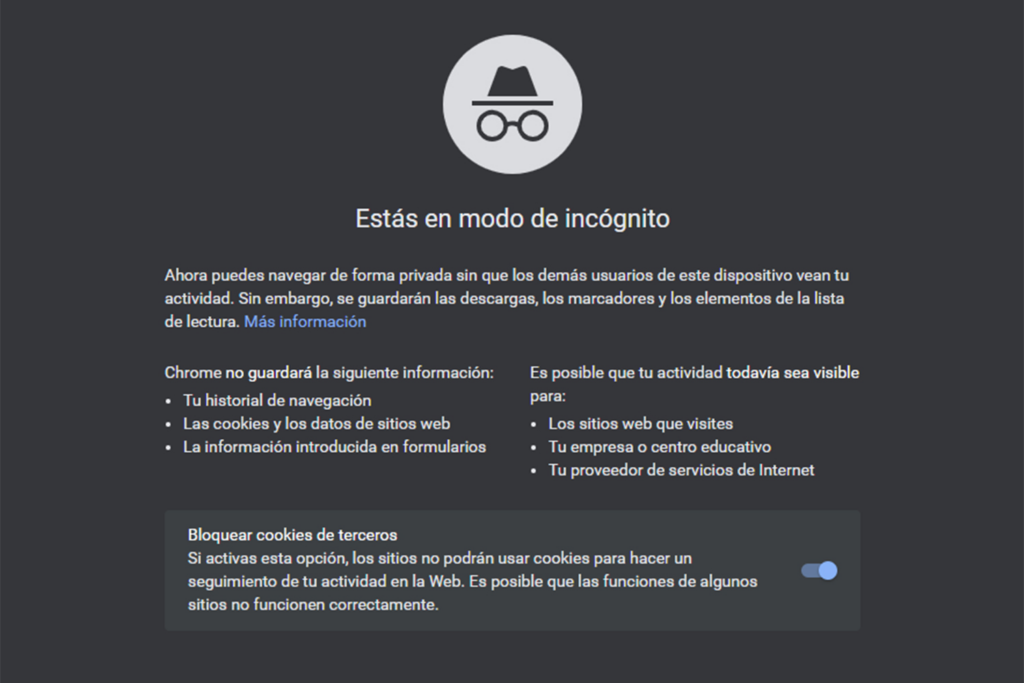
In a normal session, the browser typically saves browsing history, cookies and website data, caught files and images, form and search data, and login session information. In contrast, when you use a private browsing window, your browsing history isn’t saved when you close the window, cookies are deleted when you close the window, temporary files are erased, and form and search data isn’t stored.
“Keep in mind that private browsing doesn’t hide your online activity from third parties. Your internet service provider, your work or school network, websites, and advertisers can still see and track your activity while the session is active”, they add.
7 common myths about private browsing
1. “Private browsing makes me anonymous”: False. Your IP address is still visible, and your activity can be linked to your network connection. Private browsing only prevents information from being saved on your device.
2. “Websites can’t track me”: Incorrect. Although cookies are deleted when you close the window, websites can track you during the active session using IP address, browser fingerprinting, and real-time analytics systems.
3. “My internet provider can’t see what I’m doing”: This isn’t true either. Your ISP is still routing your traffic. Private browsing doesn’t encrypt your connection or hide the domains you visit.
4. “It protects me against malware and phishing”: It doesn’t add any extra protection. If you visit a malicious site or download an infected file, private mode offers no additional security compared to normal mode.
5. “It’s safer to log into personal accounts”: If you access your email, social media, or online store in private mode, the service can still identify you. The only difference is that your session will close when you close the window.
6. “My employer or school can’t monitor me”: If you use a corporate or academic network, administrators can still see your traffic, the domains you visit, and your usage patterns.
7.“It’s enough to protect my privacy”: Private browsing is a convenience feature, not a comprehensive privacy solution. It doesn’t block ad trackers or prevent digital profiling.
Why isn’t it as private as it seems?
The real purpose of private browsing is local privacy: preventing other people using the same device from seeing your browsing history or saved sessions. But today, online tracking goes far beyond cookies. Techniques like IP address identification, browser fingerprinting, and real-time session analysis allow companies and platforms to continue collecting data even in private mode.
If you’re concerned about your digital privacy, you need to go beyond incognito mode. More effective measures include installing privacy extensions that block trackers, limiting browser fingerprinting, controlling third-party scripts and cookies, using privacy-focused browsers, and adopting more conscious browsing habits. Combined, these tools offer much stronger protection than private browsing alone.
Despite its limitations, private browsing is still useful, for example, when using a shared or public computer; when temporarily logging into multiple accounts; to prevent searches or forms from being saved; and to test a website without prior cookies. The key is understanding what it does and doesn’t do.
In short, private browsing is not an anonymity tool or a shield against digital tracking. It only protects your local history. Websites can still track you, networks can monitor traffic, and online services can profile your behavior. If you care about your privacy, private mode should be seen as a basic convenience feature, not a security solution. Combining the right tools with good digital habits is the true way to regain control over your online activity.
You can also read: